
Journal · Store Scenarios
Phantom stockouts in fashion & home ecommerce: when refunded bestsellers never re-enter Shopify inventory
When you refund a customer $128.40 for a physical item that returned to the warehouse, an unrecorded restock quietly hides sellable inventory from your storefront. Here is how to catch phantom stock loss.
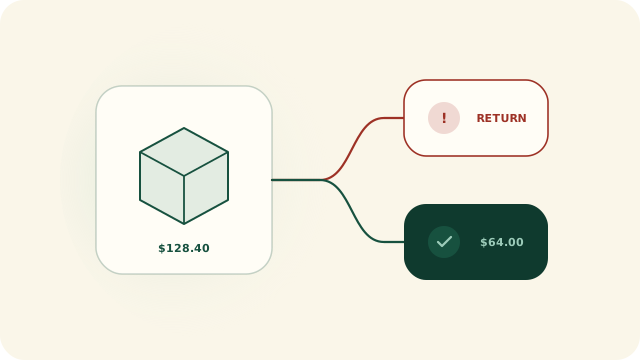
At a glance · Warehouse / 3PL Receiving · Shopify Inventory Ledger
- When support refunds a shippable line with restock type RETURN, cash leaves immediately — if the warehouse never records the restock, that unit is invisible to online buyers.
- Intentional dispositions (NO_RESTOCK and CANCEL for damaged goods or keep-it policies) are classified EXPECTED by default so your queue only flags real missing restocks.
- Restock recovery (Growth+) and Product return P&L (Scale) quantify exactly how much refunded inventory value returned to sellable stock by SKU and category.
The double cost of an un-restocked refund
In high-return categories like women’s apparel, footwear, and home textiles, return rates of 20% to 35% are normal. Margin survival depends on one operational loop: getting returned items inspected, restocked in Shopify, and resold at full price before the season ends.
Here is what happens when that loop breaks: a customer returns a $128.40 Linen Overshirt in size Medium. Customer service sees the carrier delivery scan and issues the refund in Shopify so the buyer is happy. The refund line carries restock disposition RETURN (or LEGACY_RESTOCK), indicating the unit is expected back in stock — but the restock step in Shopify is never completed. You have now paid back $128.40 in cash and lost a $128.40 sellable unit from your online storefront.
Reconciling successful line refunds against restock disposition
How Return Owl separates damaged “keep-it” refunds from real stock leaks
If an inventory check flagged every refunded order that didn’t increase stock, home goods and cosmetics brands would hate it — because broken ceramics or opened skincare are intentionally refunded without restocking. Return Owl checks three things before raising an alert:
- 01The SKU is a physical, shippable product: Gift cards, digital downloads, and shipping protection lines are ignored.
- 02The refund transaction actually succeeded in the line’s currency: Unpaid or failed refunds belong in the payment check, not inventory reconciliation.
- 03The restock disposition expects the unit back: Under the default Respect policy mode,
NO_RESTOCKandCANCELlines are classified asEXPECTED(INTENTIONAL_NO_RESTOCK), whileRETURNandLEGACY_RESTOCKlines missing a recorded restock open aNEEDS_ATTENTIONcase. (Stores that want to audit every un-restocked refund can switch to Strict mode in Settings.)
Measuring Restock Recovery and Product Return P&L
| Capability | Starter ($9/mo) | Growth ($19/mo) | Scale ($49/mo) |
|---|---|---|---|
| Line-level Refunded item not restocked check | Included in queue & alerts | Included + Accountant CSV | Included + Accountant PDF |
| Respect policy vs. Strict no-restock setting | Included | Included | Included |
| Restock recovery by product & category | — | Compares refunded $ vs. restocked $ | Included |
| Product return P&L & threshold watchlists | — | — | Return rate, refund leakage, restock recovery & net value impact per SKU |